
Are Laptops Allowed in Carry On Luggage? Most Travelers Make This Mistake
Yes, laptops are allowed in carry on luggage on almost all airlines.
I have flown with a laptop on hundreds of trips, from short hops to long-haul. In this guide, I break down are laptops allowed in carry on luggage in clear, simple terms. You will learn the rules, the why behind them, and the small steps that make travel smooth. If you have ever typed are laptops allowed in carry on luggage into a search bar, this is your complete answer.
Are Laptops Allowed in Carry On Luggage? The Rules in Plain English
Yes. Most airlines and airports allow laptops in your carry-on. Security staff may ask you to remove your laptop during screening. That part depends on your lane and airport gear.
Key points to know:
- You can bring your laptop in your carry-on bag.
- You may be asked to take it out of your bag at security.
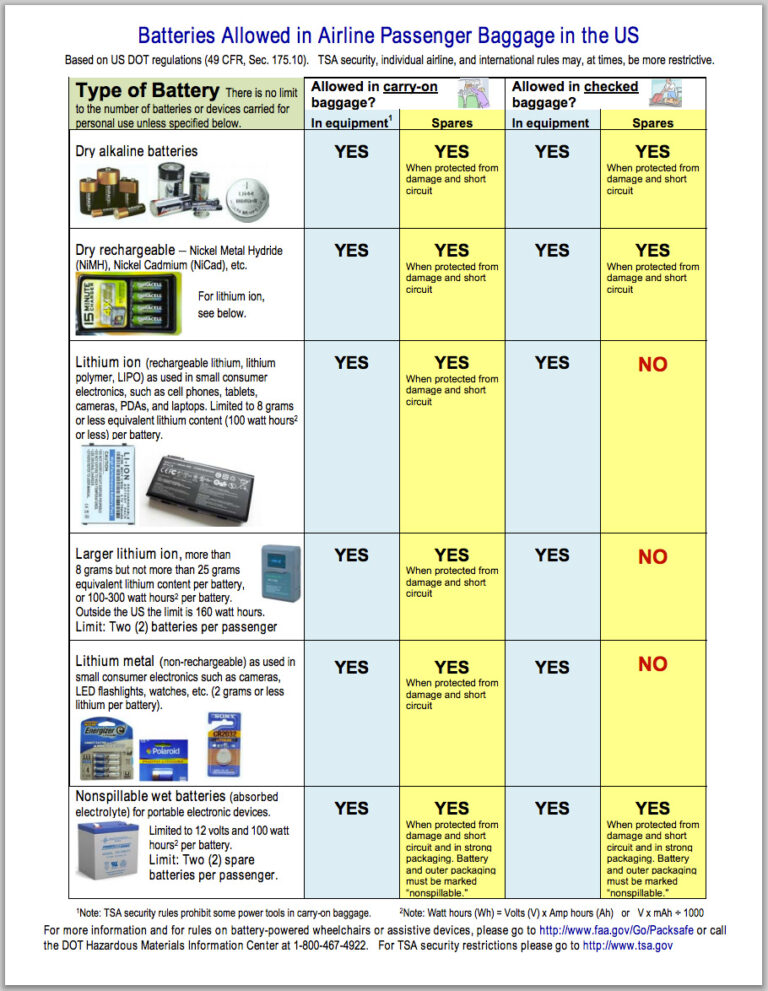
- Installed laptop batteries are fine in carry-on. Damaged or recalled batteries are not.
- Placing laptops in checked luggage is allowed by many airlines but is not wise.
Regulators focus on safety and screening. That is why are laptops allowed in carry on luggage is a common question. The rules are simple once you see the pattern. Keep the laptop with you. Follow battery rules. Expect to show it at the checkpoint.
Best Wheels For Spinner Luggage: The Upgrade Frequent Flyers Swear By
Security Screening: How to Handle Your Laptop at the Airport
At standard security lanes, you usually remove laptops and place them in a bin by themselves. This helps officers see a clear image on the x-ray. Some lanes use new CT scanners. In those lanes, you can often keep laptops in your bag. Follow the signs and the agent’s cue.
What to expect at major checkpoints:
- TSA in the US: Remove laptops in standard lanes. TSA PreCheck often lets you keep your laptop in your bag.
- EU and UK: Many airports still ask you to remove laptops. Some hubs with CT scanners let you keep them inside.
- Asia and the Middle East: Rules are similar. Staff may ask you to power on your device if needed.
Simple steps that speed things up:
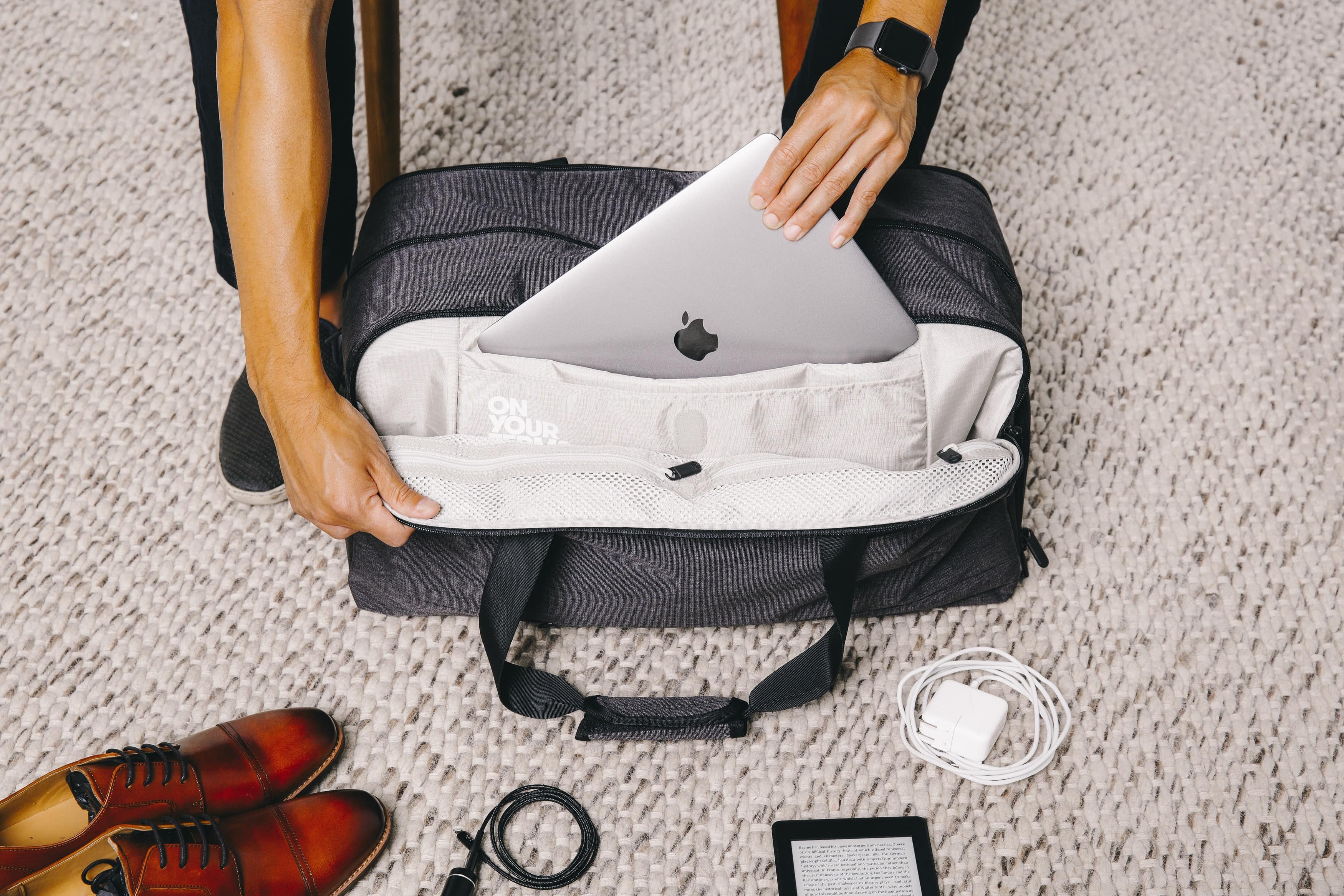
- Pack your laptop in an easy-access sleeve.
- Keep cords and power banks separate.
- Empty your pockets before you reach the bins.
- Place your laptop flat in the tray with nothing on top.
I once missed a tight connection after fumbling with cords at screening. Now I keep my laptop in a top pocket and my charger in a small pouch. It cuts my checkpoint time in half. If you are asking are laptops allowed in carry on luggage, also ask how you can set up your bag for fast checks.

Lithium Batteries: What You Can and Cannot Pack
This is where many travelers slip. The short rule is simple. Lithium batteries like the one in your laptop are safest in the cabin. That is why are laptops allowed in carry on luggage gets a yes. Fire risk is easier to manage in the cabin with trained crew.
Know these basics:
- Installed laptop battery: Allowed in carry-on. Allowed in checked by many airlines, but not advised.
- Spare batteries and power banks: Carry-on only. Never checked.
- Size limits: Up to 100 Wh is fine. 100–160 Wh needs airline approval. Above 160 Wh is not allowed.
- Protect terminals: Cover battery contacts or keep spares in cases to avoid short circuits.
If a device gets hot or smokes in flight, call a crew member at once. They will handle it with proper fire gear. Do not move a smoking device. Do not use ice. Water cools and helps after the fire agent does its job.
Tip from experience: I carry a small, non-metal battery case and a printed note of my power bank’s Wh rating. It stops gate debates before they start.
In-Flight Use: Laptop Rules, Wi-Fi, and Etiquette
Most airlines let you use laptops in airplane mode. Many sell Wi-Fi. Some require laptops to be stowed for taxi, takeoff, and landing. This is due to size and safety. Listen for your crew’s call.
Make life easier in the air:
- Use airplane mode. Turn on Wi-Fi only if allowed.
- Use a slim sleeve so you can slide the laptop away fast.
- Mind your neighbor’s space. Angle your screen. Keep elbows in.
- Carry a short charging cable. Long cables trip feet and carts.
- Use a privacy filter if you work on sensitive files.
On tight seats, I use a compact stand and sit up straight. It keeps my wrists happy. If you wonder are laptops allowed in carry on luggage, also plan how you will use them without stress.
Packing Tips: Protecting Your Laptop in Carry-On Bags
Good packing saves time and gear. It also keeps data safe. Here is a simple system I coach my team to use.
Choose the right bag:
- Pick a backpack with a padded laptop sleeve.
- A front pocket for chargers keeps bins tidy.
- Water-resistant fabric helps in rain or spills.
Pack for fast checks:
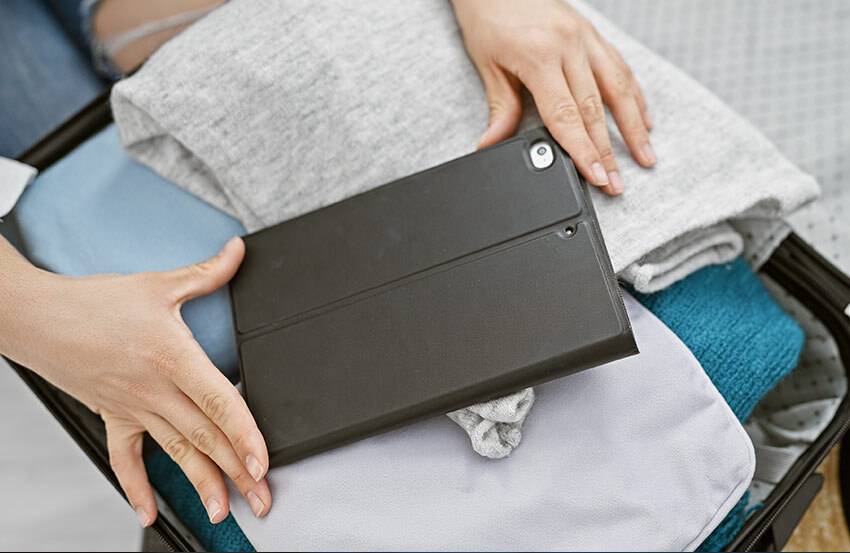
- Laptop in a dedicated sleeve near the top.
- Cords in a small pouch.
- Power bank in an easy-to-reach pocket.
Protect your data:
- Back up before you fly.
- Turn on full-disk encryption.
- Use a screen lock with a strong code.
Small habits pay off. I add an AirTag to my laptop sleeve. If I forget it at a bin, I get an alert at the gate. When people ask are laptops allowed in carry on luggage, I say yes—and here is how to carry them well.
International Travel and Data Privacy for Laptop Users
Rules about data at borders can be strict. Officers in some countries can inspect devices. They may ask you to unlock them. Plan ahead to protect work and personal files.
Smart privacy steps:
- Travel light on data. Use cloud access and remove local files.
- Use a “travel profile” with minimal apps.
- Update your OS and antivirus.
- Consider a clean loaner laptop for high-risk trips.
Power and adapters:
- Most laptops accept 100–240V. Bring a plug adapter for the region.
- A surge protector is a plus but not a must.
- Check airline rules on in-seat power and battery size.
When you search are laptops allowed in carry on luggage, you also need to think about the data on that laptop. Safe travel is not just about hardware. It is also about the info inside.
Mistakes to Avoid When Flying With a Laptop
I have made these mistakes so you do not have to.
Common pitfalls:
- Packing your laptop in checked luggage. Bags get tossed, delayed, or opened.
- Forgetting to remove the laptop at screening. It slows the line and may trigger extra checks.
- Carrying loose batteries in a pocket. That can cause a short.
- Ignoring recalls. Some laptop models had battery recalls. Check before you fly.
- Leaving devices dead. You may be asked to power on a device to show it is real.
Quick fixes:
- Keep the laptop with you.
- Use a travel checklist.
- Charge to at least 30% before heading to the airport.
- Save a copy of your purchase receipt in your email. It helps with customs.
These steps answer more than are laptops allowed in carry on luggage. They help you fly calm and ready.

Frequently Asked Questions of are laptops allowed in carry on luggage
Are laptops allowed in carry on luggage on all airlines?
Yes, in almost all cases. Some airlines add steps, but the core rule allows laptops in carry-on bags.
Do I have to take my laptop out at TSA?
Often yes in standard lanes. In TSA PreCheck or CT scanner lanes, you can usually leave it in your bag if told.
Can I put my laptop in checked baggage instead?
You can, but it is not smart. There is higher risk of damage, loss, and battery issues.
How many laptops can I bring on a flight?
There is no set TSA limit for personal use. If you carry many laptops, expect extra questions from security or customs.
Are power banks and spare batteries allowed in carry-on?
Yes, but carry-on only. Keep them under 100 Wh, or get airline approval up to 160 Wh.
Will airport x-rays harm my laptop or data?
No. X-rays do not damage electronics or SSDs. Your laptop will be fine.
Can I use my laptop during takeoff and landing?
Many airlines ask you to stow larger devices for those phases. Follow crew instructions.
What if my laptop battery was part of a recall?
Do not fly with it. Replace the battery or device first, as recalled batteries may be refused.
Are laptops allowed in carry on luggage for international flights?
Yes. The same core rules apply worldwide, with local screening steps that may differ.
Do I need a special laptop bag for security?
No. A simple sleeve is fine. A bag with a dedicated laptop pocket makes screening faster.
Conclusion
Yes, are laptops allowed in carry on luggage, and keeping them with you is the safest move. Follow simple screening steps, respect battery rules, and pack with care. Your device and data will arrive ready to work.
Put these tips to use on your next trip. Set up a clean travel profile, pack a slim sleeve, and charge your gear before you go. Want more travel tech guides like this? Subscribe, share your questions in the comments, and tell me where you are flying next.

Md Abdul Muhaimen is an experienced travel content writer and guide who has a Master’s in Information Systems Management from the University of Huddersfield. He is passionate about all things related to travel logistics and trip planning, and has assisted thousands of readers in choosing the proper luggage, knowing which items can be included in carry-on luggage, and understanding an airline’s policy with confidence.
Md Abdul has a sound grounding in systems thinking and data-driven content creation that allows him to bring clarity to complicated travel topics — from comparing the exact sizes of cabin bags from multiple airlines to developing helpful how-to guides to simplify a traveler’s experience.
He actually engages in travel forums on Quora, answers real user questions, and shares insights by posting on Medium blogs
.His work marries first-hand research, consumer-focused advice, and technical accuracy, and he is a voice that can be trusted among the travel and luggage community.